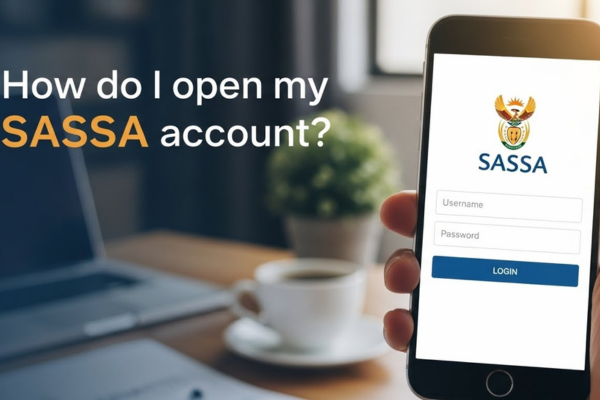
How do I open my SASSA account?
Opening your SASSA account is a crucial step in accessing your grant.
Choose one option to continue:
🛠️ Fix My SASSA App Details 🔍 Check SASSA App Approval 💰 See SASSA App Income LimitIt is the point where your information moves from uncertainty into the official system.
However, this process requires care and precision. Errors in your application can result in delays or outright rejection, so it is important to follow the correct procedures.
Why Many Applications Fail
The primary reason applications are declined is not lack of eligibility—it is a lack of accuracy. The SASSA system does not simply “read” your submission; it verifies every detail against the Department of Home Affairs and the South African Revenue Service (SARS).
Even a single incorrect digit in your ID number or a minor discrepancy in your surname can trigger what the system identifies as a conflict.
This conflict is treated as a potential fraud risk, and the application may be automatically declined. Ensuring that your information matches exactly with official records is essential.
Step-by-Step Guide: Creating a Complete and Accurate Profile
To open your account successfully, follow these three key steps carefully.
Step 1: Validate Your Identity
Before beginning the online registration, have your physical Green ID book or Smart ID card ready.
- Access the SASSA Services Portal at https://services.sassa.gov.za.
- Click “Register.”
- Enter your 13-digit ID number exactly as it appears on your document.
Expert Tip: If you recently changed your surname due to marriage or other reasons, confirm that Home Affairs has updated their records first. Any mismatch between your application and official records may result in immediate rejection.
Step 2: Verify Your Mobile Number
Next, the system will request a mobile phone number. This number acts as your digital signature and is critical for identity verification.
- Enter a mobile number that is RICA-registered in your name.
- Wait for the One-Time PIN (OTP) sent to your phone.
- Enter the OTP promptly.
Important: Do not use temporary or someone else’s SIM card. The system uses this number for “Proof of Life” verification each time you log in. Losing access to the registered number can prevent you from accessing your account or payments.
Step 3: Create a Secure Password
You will be prompted to set a password for your account. This is the main safeguard for your grant information.
- Choose a password that you have never used before.
- Avoid obvious information, such as birthdays or common sequences.
- Store it securely in a private location.
Once you submit your password, the system initiates a real-time audit, comparing your data against government databases. Accuracy at this stage is crucial for immediate approval.
How to Fast-Track Your Approval
By completing your registration through the official Services Portal, you access a “high-priority lane.” Digital applications are processed faster than paper forms because they are accurate, complete, and verified against official records. Following this structured process maximizes your chance of approval and reduces the likelihood of entering a prolonged “pending” status.
Key Takeaways
- Accuracy is critical: every number, letter, and detail must match official records.
- Use your own verified mobile number to ensure secure access.
- A strong, unique password protects your account from unauthorized access.
- Digital applications are faster and more authoritative than paper submissions.
Remember, opening your account is the first step in a larger process. Even a perfectly completed profile may show a “Pending” status while the system processes your information. Understanding how the system works and following these steps ensures that your application is correctly submitted and prioritized.