Why is my SASSA was recused?
When you check your status and see the word “Declined” (often referred to by applicants as being “recused” or “refused”), it marks a moment of significant frustration.
In a system built on automated logic, a rejection isn’t a personal judgment; it is a signal that the administrative algorithm has found a discrepancy between your application and the various national databases it monitors.
Understanding why your application was unsuccessful is the first step toward correcting the error.
This guide provides a professional, step-by-step analysis of the rejection codes, the “hidden” reasons behind them, and the technical roadmap to successfully challenge these decisions through the official appeals framework.
Why Was My Application Declined? Decoding the Rejection Codes
The national social security system relies on a process called “data matching.” Every month, the agency’s computers “talk” to other government departments, including the revenue service, the unemployment insurance fund, and the department of higher education. If any of these databases show that you are active, earning income, or receiving other support, the system will automatically decline your request.
To fix a rejection, you must first identify the specific “Code” associated with your status. Each code points to a different administrative hurdle.
1. Understanding the Common Rejection Codes
Before you can appeal, you must know the technical reason for the refusal. Here are the primary reasons identified by the agency:
Alternative Income Source Identified
This is the most frequent reason for a decline. It means that during the monthly audit, the system detected a total of more than R624 entering your bank account. This includes cash deposits, e-wallet transfers, or even money sent to you by a family member to help with expenses. The system does not distinguish between a “gift” and “income”; it sees all incoming funds as money available for your support.
UIF Registered
The system has found your ID number in the Unemployment Insurance Fund database. If you were previously employed and your employer has not officially “terminated” your service in the system, or if you are currently receiving unemployment benefits, you will be declined.
NSFAS Registered
This code appears if the database shows you are a recipient of a national student bursary. Because these bursaries include a living allowance, the system considers your basic needs to be met by another department.
Identity Verification Failed
This indicates a mismatch between the details you provided and the records at the Department of Home Affairs. This can be caused by a typo in your name, an incorrect ID number, or a conflict with the mobile number registered to your ID.
2. The Step-by-Step Roadmap to Resolving a Refusal
If you believe the system has made an error—for example, if you are not receiving unemployment benefits but are still being declined for “UIF Registered”—you must follow this technical sequence to restore your eligibility.
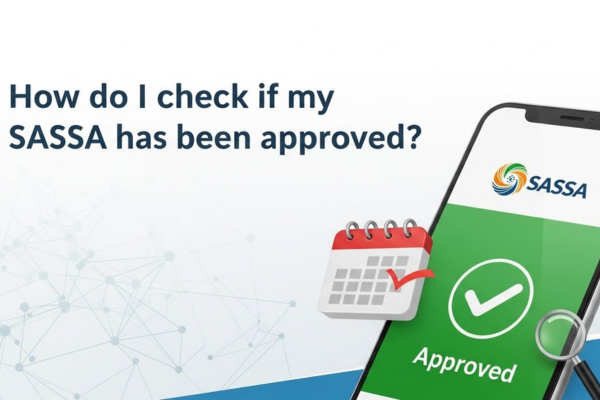
Step 1: Perform a Detailed Status Audit
Do not rely on third-party news sites. Access the official management portal directly.
- Enter your 13-digit ID number and the mobile number used during application.
- Navigate to the month that was declined.
- Click on the “Reason” tab to see the specific code.
- Action: Take a screenshot of this code. You will need it for your appeal.
Step 2: Clear Your Records with External Departments
The agency cannot “fix” a UIF or revenue service error for you. You must go to the source.
- For UIF Errors: Contact the unemployment fund or your previous employer to ensure your status is marked as “terminated” or “inactive.”
- For Banking Errors: Review your bank statements. If you allow someone else to use your account and they deposit money, this will trigger a decline. You must ensure your account stays below the R624 threshold for the entire audit period.
Step 3: Initiate the Official Appeal Process
If the data on your side is correct but the system is still declining you, you must escalate to the Independent Tribunal.
- Visit the dedicated Appeals Portal (distinct from the main application site).
- Log in using your ID and a secure OTP sent to your phone.
- Select the months you wish to challenge.
- Provide the justification for each month (e.g., “I am no longer receiving a student bursary”).
3. The Role of the Means Test in Monthly Rejections
The “Means Test” is the technical mechanism that determines if you are financially eligible. It is important to remember that this test is conducted every month.
- The Threshold: The current limit is R624. If your balance or total monthly deposits exceed this, the “Alternative Income” flag is triggered.
- The Audit Window: The agency usually checks your bank records between the 20th and the end of the month. Maintaining a low balance during this window is critical for approval.
- The “Referred” Status: If the system sees suspicious activity, it may change your status to “Referred” instead of “Declined.” This means you are under investigation for potential fraud or duplicate identity.
4. Why Accuracy is Your Best Defense (Trustworthiness)
The system is designed to be automated to handle millions of applications. It does not have the capacity for “common sense” interpretations. This is why Expertise in how you present your data is vital.
- Bank Account Integrity: Ensure the bank account is in your name. If you use a Post Office account or a “Cash Send” option, ensure your mobile number is RICA-registered to you.
- Contact Consistency: Never change your mobile number without updating it on the portal first. If the number checking the status doesn’t match the one on the application, the system may flag the file for security reasons.
- Documentary Proof: Keep copies of your bank statements and any “Letter of Termination” from previous employers. If the Independent Tribunal requests a manual audit, these documents are your primary evidence.
Conclusion: Turning a Refusal into an Approval
Being declined is a signal that there is a data conflict in your digital profile. By identifying the specific rejection code, correcting your records at the source (UIF, SARS, or Home Affairs), and utilizing the Independent Tribunal’s appeal portal, you can resolve these technical errors.
The system relies on accurate data. By ensuring your bank statements reflect your true financial situation and keeping your administrative records updated, you provide the agency with the information it needs to move your status from “Declined” to “Approved.”