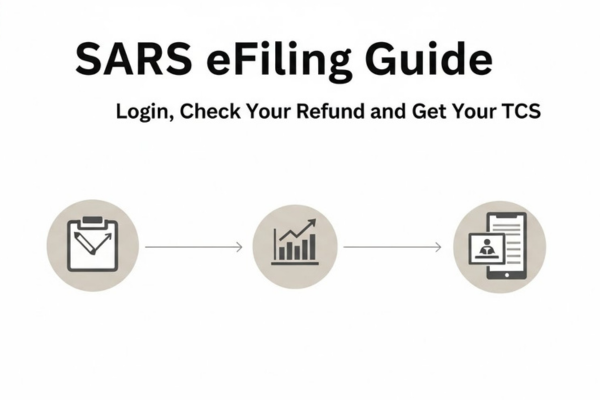
SARS eFiling Guide: Login, Check Your Refund and Get Your TCS
Managing your tax affairs through SARS requires a clear understanding of how the eFiling system works, particularly when it comes to Tax Compliance Status, refunds, and secure portal access.
Choose one option to continue:
🎓 Get SARS Certificate On eFiling 💰 Check If SARS Owes Me Money 🔑 Login Into SARS eFiling NowWhile the platform is comprehensive, many of its key functions are not immediately obvious, which can lead to confusion, delays, and unnecessary frustration for taxpayers.
Tax Compliance Status (Certificate of Good Standing)
The Tax Compliance Status is an official confirmation of your standing with SARS. It is commonly required for activities such as applying for government incentives, participating in public tenders, securing contracts, or verifying compliance for employment or business purposes.
On the SARS eFiling platform, this function is not automatically available or prominently displayed. Many users search through the general “Services” section without success. This is because the Tax Compliance Status must be requested through a dedicated process rather than downloaded directly.
To activate this function, SARS requires that all your registered tax types (such as Income Tax, VAT, PAYE, or Customs, where applicable) are correctly linked and validated on the system.
This process ensures that your tax profile is complete and up to date.
Once the system confirms compliance across all relevant tax categories, the Tax Compliance Status menu becomes accessible, and the PIN is issued immediately. With the correct steps followed, there is no need to engage an external consultant.
How to check if SARS owes you a refund
If SARS owes you money, this information is reflected in your Statement of Account (ITSA). A refund typically results from paying more tax than required during the financial year, either through payroll deductions, provisional tax payments, or over-assessed liabilities.
SARS does not proactively notify taxpayers when a refund becomes available. For this reason, it is important to review your ITSA regularly.
The document includes detailed transaction codes and allocations, not just a final balance. Some credits may remain unpaid even when a positive balance exists, and these are often identified through specific deduction or allocation entries.
One of the most common reasons for delayed refunds is unverified banking details. Even when a refund has been calculated, payment will not be released unless your banking information has been confirmed on eFiling.
This status is usually indicated within the profile or banking details section.
To confirm whether a refund has been approved or withheld, you should also review your Notice of Assessment (ITA34). A specific indicator on this document shows whether the refund is authorised for payment or pending further verification.
Logging in to SARS eFiling successfully
Access to SARS eFiling is fundamental to maintaining compliance and managing deadlines. The system uses strict security protocols to protect taxpayer information. As a result, login issues are common, especially during peak filing periods.
Many “Login Failed” errors are caused by technical issues rather than incorrect passwords. These may include outdated browser versions, cached data, blocked pop-ups, disabled cookies, or problems receiving the One-Time Pin (OTP).
Following a standard access setup — such as using an updated browser, clearing cache regularly, enabling necessary permissions, and keeping contact details current — greatly reduces login problems. Consistent access helps prevent missed submissions, penalties, and unnecessary account restrictions.
On the SARS portal, this function is not immediately visible. Many taxpayers look for it under the general “Services” section and are unable to locate the correct option.
The certificate is not available for direct download by default. It must be requested through the dedicated Tax Compliance process, which requires your registered tax types to be linked and validated on the system.
Only once this verification is complete does the “Tax Compliance Status” menu become fully accessible.
After the process is completed correctly, the PIN is issued immediately. No external consultant is required — only proper completion of the required steps.
How do I check if SARS owes me money?
Any potential refund is reflected in your Statement of Account (ITSA).
A refund arises when you have paid more tax than required during the tax year. However, SARS does not automatically notify taxpayers when a credit becomes available.
The ITSA contains multiple transaction and allocation codes. Many taxpayers focus only on the final balance and overlook specific entries that indicate an unpaid credit.
In addition, a large number of refunds are delayed due to unverified banking details, which are recorded in the profile management section of eFiling.
To confirm whether a refund has been approved, you should review your Notice of Assessment (ITA34). A specific code on this document indicates whether the refund has been authorised or is pending further verification.
Understanding this indicator can prevent unnecessary delays in receiving payment.
How to log in to SARS eFiling (simple steps)
Access to eFiling is essential for managing your tax affairs effectively.
The platform operates under strict security controls. Issues such as incorrect login details, an outdated browser cache, or failure to receive a One-Time Pin (OTP) can result in login errors or temporary account restrictions.
Many “Login Failed” messages are caused by technical configuration issues rather than incorrect passwords. Browser compatibility, security settings, and system traffic all play a role.
Following a standard access setup — using an updated browser, clearing cache, enabling required permissions, and ensuring contact details are current — significantly reduces login problems and helps prevent delays, penalties, or account lockouts.